
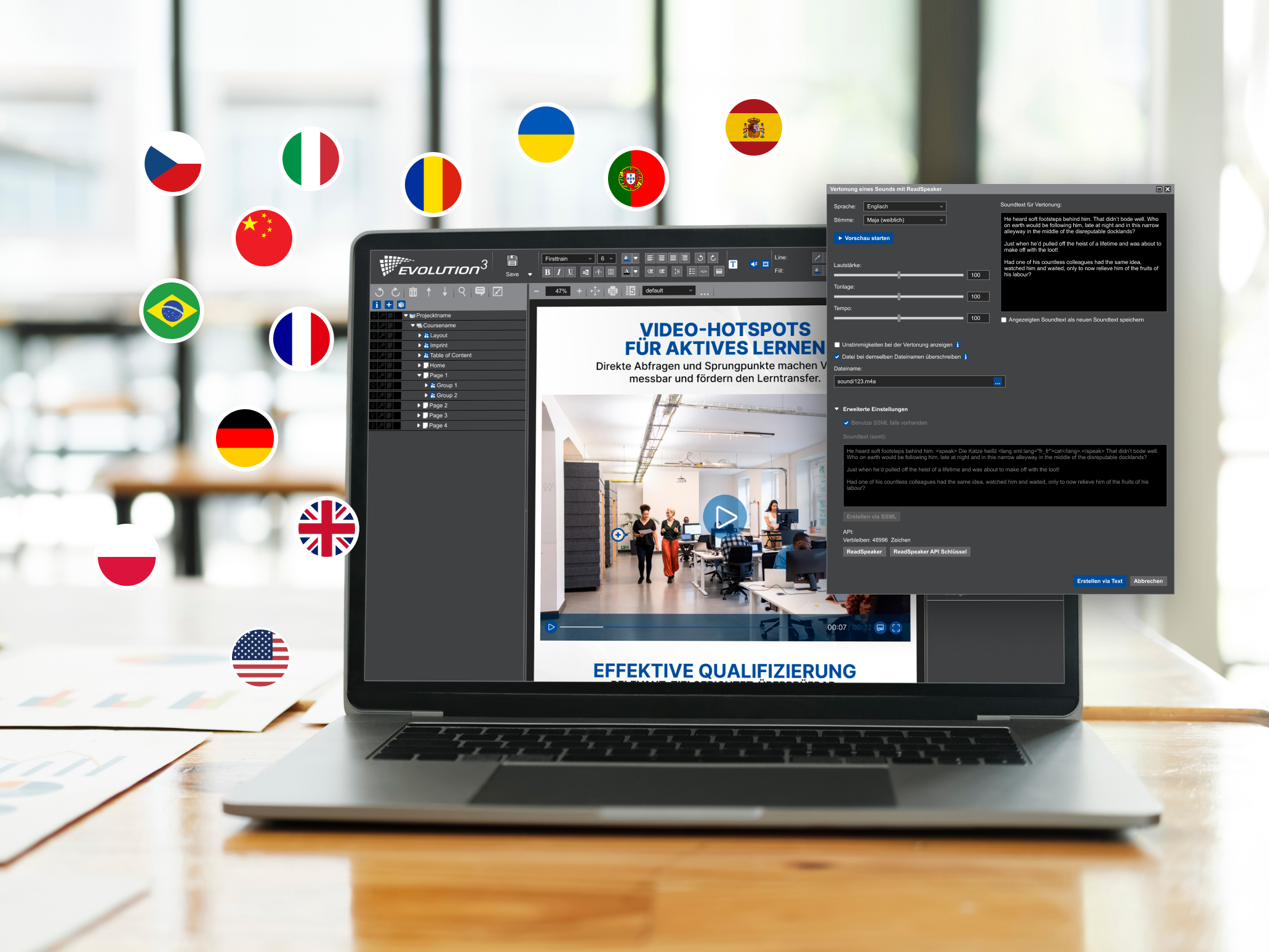

The integration of ReadSpeaker into EVOLUTION³ gives authors access to tools that enable them to produce audio-enhanced and multilingual learning content more quickly, reliably and flexibly. To highlight a particularly resource-efficient feature, it is possible to export sound lists according to various criteria. For example, it is possible to filter by author, creation date or modification date. The list includes all text and file names for seamless tracking. In our file manager, audio, image or video files can be replaced directly within the learning content without any additional manual work during assignment.
Using the ReadSpeaker API, CBTL has developed an interface that allows sound objects to be created and customised. This interface offers the option to fine-tune the object or even edit it using Speech Synthesis Markup Language (SSML). Thanks to the conceptual structure, in which audio always triggers animations and interactions, precise emphasis can be achieved through event-based objects. Pitch, tempo and volume can be individually adjusted to reflect the varying significance of the situation and content.
- Exporting sound lists: Filter options for entire courses, parts of courses, or by date/creator.
- Sound customisation: Easily select a voice and language, and adjust pitch, tempo and volume.
- Defining pronunciation: Speech Synthesis Markup Language enables the precise pronunciation of terms and the specification of the language.
- File manager: Replacing or overwriting dummy audio files saves time.
- Event-based animations: Manual post-processing during dubbing or translation is not required thanks to the timeline workflows.
- Automatic subtitles: Audio scripts can be displayed directly as subtitles.
- Linked language versions: No separate copies are created for multilingual content, as they are managed centrally within a single project.
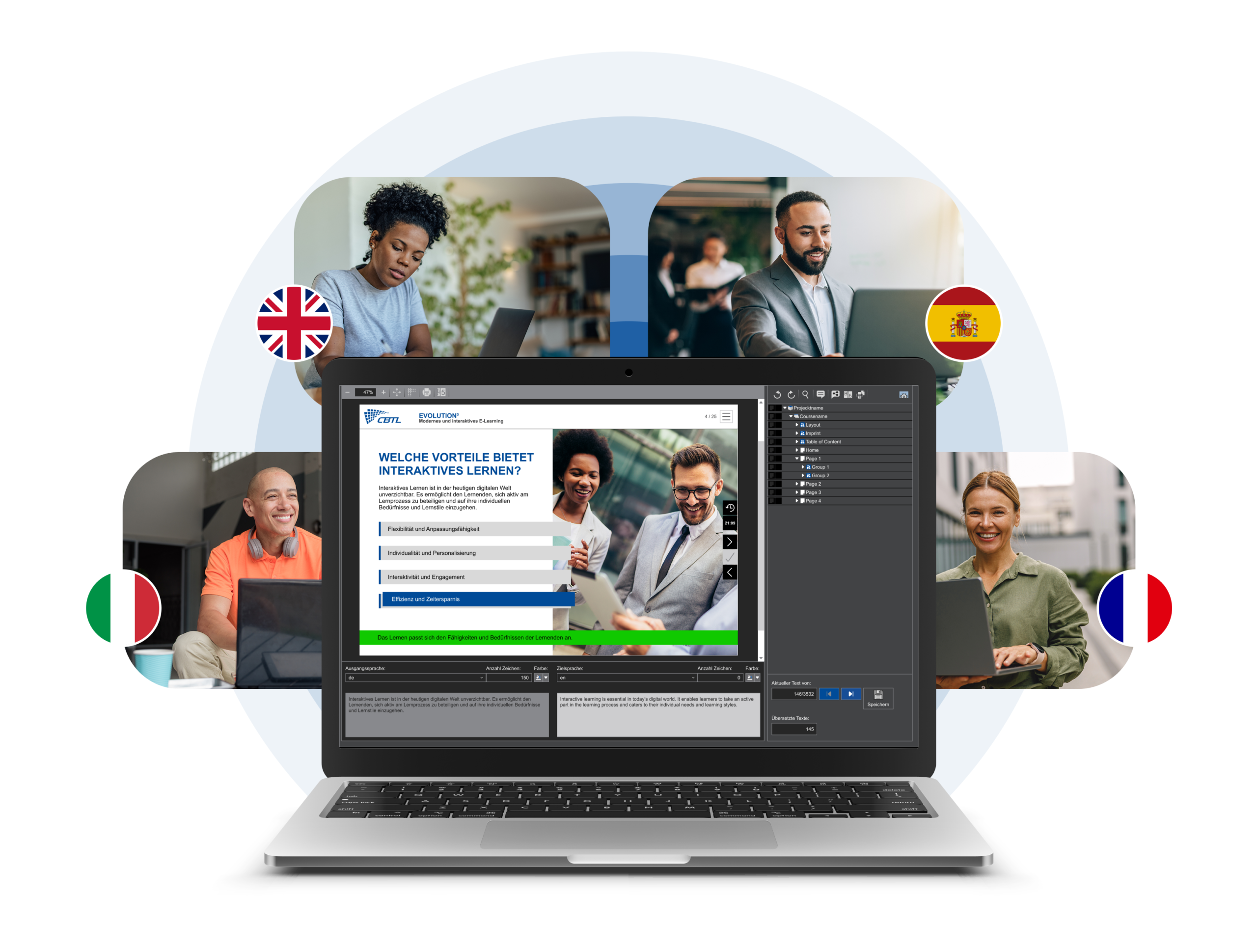
The EVOLUTION³ authoring platform provides a centralised translation interface. This simplifies the translation process and makes it easier to manage multiple language versions within a project through a division of labour. Changes to the original are automatically applied to all language versions without creating duplicates or inconsistencies. Translators and language champions work in context, taking into account all relevant content such as text, images, videos and interactions. The production platform enables real-time collaboration with subject matter experts, logs all adjustments and offers interfaces to external translation formats such as XLIFF or CSV.
All processes are carried out within EVOLUTION³’s security-certified, GDPR-compliant and TISAX-audited production environment. This ensures that you retain control over your data, even on global projects involving multiple language versions.